 Mochi Style
 daily themes explained
The little card at the top of the screen decides what the judges want. Here is how to read it, switch it and dress for every theme.
In this guide
Mochi Style has ten themes, from Idol Stage and Mermaid Lagoon to School Day and Beach Day. The card at the top of the dress up room shows today's theme, its tags and a heart that marks which items fit. Tap the card to pick any theme, and after you collect your coins from the judges the game moves on to the next theme in the list.
Every look you make in Mochi Style is dressed for something. That something is the theme, and it lives in a small card at the top of the dress up room. It tells the judges what to look for, it tells your rival what to wear in a runway battle, and it quietly marks which clothes in your closet are a good fit.
This guide to the Mochi Style daily themes explains what the theme card shows, lists all ten themes with their tags, colours and scenes, and gives you a short routine for dressing for any of them.
What the theme card shows
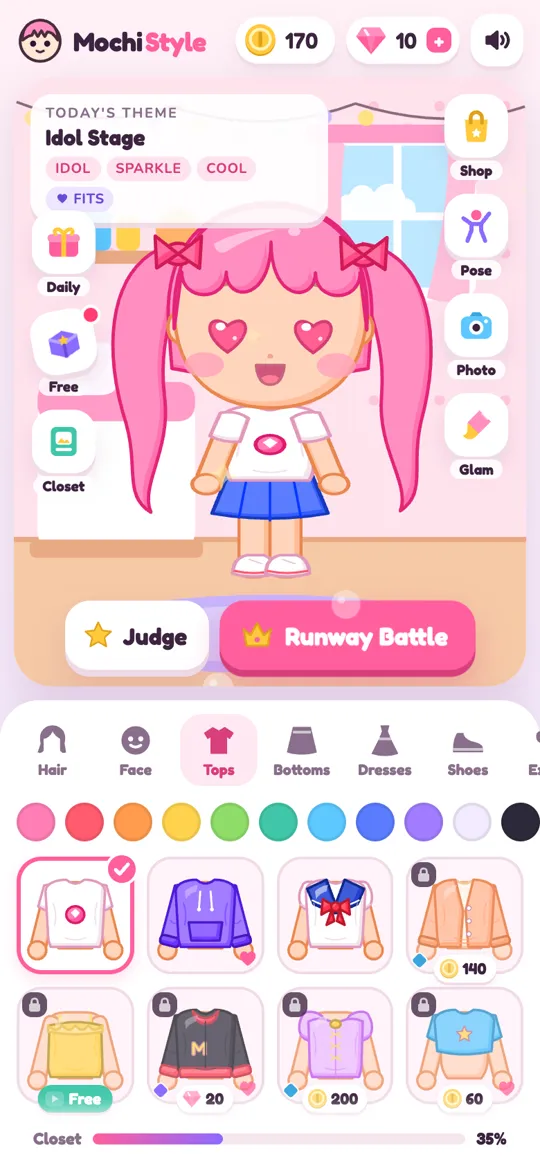
Look at the top left of the dress up room. The card is labelled "Today's theme" and has three parts:
- The theme name, such as Idol Stage or Mermaid Lagoon.
- Tags, small pink chips like idol, sparkle and cool. These are the words the theme cares about.
- A "fits" chip with a heart. This is a key. In the closet below, any item that matches one of the tags gets a little heart in its corner.
The heart is the fastest hint in the game. Open the Tops tab and you will see some cards with a heart and some without. The ones with a heart fit today's theme.
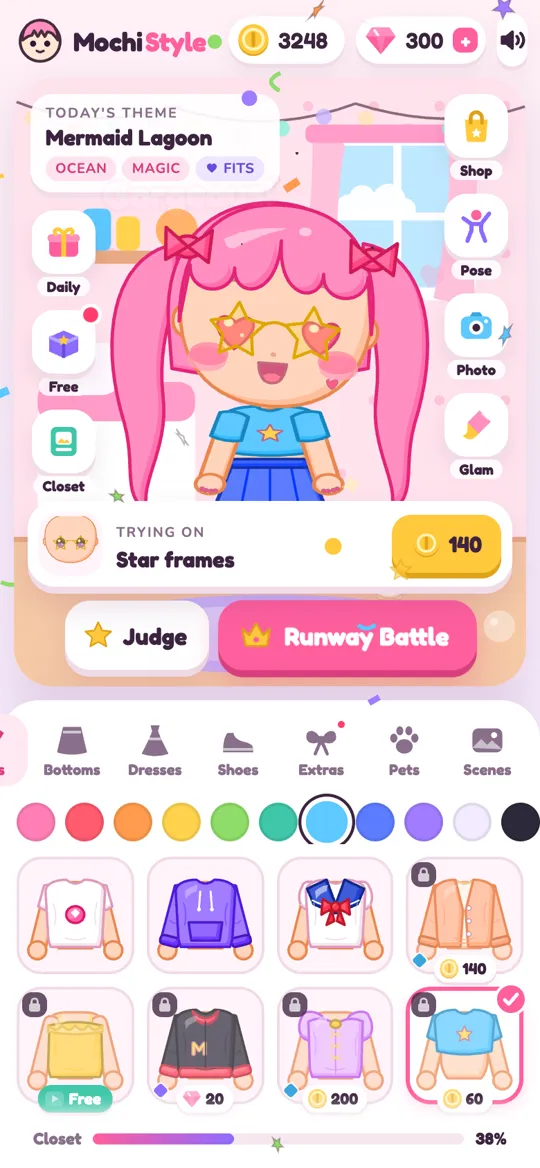
Your doll gives you a second hint. Put on something that fits and she often makes heart eyes and a word like "Cute!" or "Slay!" pops up. Put on a piece of clothing that does not fit and she may pout and say "Hmm…". Sparkly items, like anything tagged sparkle, magic, royal or princess, tend to get shiny wow eyes instead.
All ten themes at a glance
Here is every theme in the order the game cycles through them, with its tags, the five palette colours and the scene that goes with it.
- Idol Stage. Tags: idol, sparkle, cool. Colours: hot pink, dark navy, sunny yellow, white and purple. Scene: Stage.
- Mermaid Lagoon. Tags: ocean, magic. Colours: sea green, pink, sky blue, white and purple. Scene: Mermaid lagoon.
- Princess Ball. Tags: princess, royal, sparkle. Colours: lilac, gold yellow, white, pink and pale orchid. Scene: Stage.
- Unicorn Dream. Tags: rainbow, magic, cute. Colours: white, pink, lavender, baby blue and pale lemon. Scene: Unicorn sky.
- Kawaii Cat Cafe. Tags: cat, cute. Colours: soft orange, pink, dark navy, white and yellow. Scene: Bedroom.
- School Day. Tags: school, cute. Colours: royal blue, white, red, brown and yellow. Scene: Bedroom.
- Pyjama Party. Tags: cozy, cute, night. Colours: periwinkle, pale lavender, pink, yellow and purple. Scene: Bedroom.
- Superhero Day. Tags: hero, sporty, cool. Colours: red, blue, yellow, white and dark navy. Scene: Hero city.
- Candy Party. Tags: candy, cute. Colours: bubblegum pink, yellow, sky blue, white and rose. Scene: Candy Land.
- Beach Day. Tags: beach, sporty. Colours: sky blue, yellow, orange, leaf green and white. Scene: Beach.
Notice how often "cute" turns up. A cute item can score with Unicorn Dream, Kawaii Cat Cafe, School Day, Pyjama Party and Candy Party, so cute pieces are the most useful ones to own. Sparkly pieces help with both Idol Stage and Princess Ball.
Now and then a limited event theme also appears at the top of the theme list with a countdown. It joins the list only while the event runs, then disappears again.
How themes change, and how to pick your own
The card says "Today's theme", but you are never stuck with it. There are two ways the theme changes.
The game moves on after the judges. When you tap Judge and then collect your coins, the game switches to the next theme in the list above and shows a small "Next theme" message. After Beach Day it goes back to Idol Stage.
You can pick any theme yourself. Follow these steps:
- Tap the theme card at the top of the dress up room.
- The "Pick a theme" sheet opens with a picture card for every theme, each showing its scene.
- Tap the theme you want. Your current theme has a pink outline.
- If you already own that theme's scene, the background switches to it straight away.
- Look at the closet again. The hearts now mark the items that fit your new theme.
Picking a theme does not cost anything, so feel free to try a theme you love, or one where you have the right clothes already.
How to dress for any theme in six steps
The judges each look at one part of your look, as our guide to how the three judges score explains in detail. This routine covers all three.
- Read the tags first. Before you open a single tab, read the two or three tags on the card. They are your shopping list.
- Pick the main piece with a heart. Choose a dress, or a top and bottom, that shows a heart. Pudding the bunny counts how many worn items fit the theme.
- Recolour to the palette. Use the colour row above the closet to move your clothes, shoes, hat and hair towards the theme's colours from the list above. Miso the cat checks how close they are.
- Add details. A hat, glasses, wings and a pet all count for Bean the panda. Pick ones with a heart when you can, so they please Pudding too.
- Set the theme's scene. If you own it, switch to the scene listed for the theme. Bean gives credit for the right scene.
- Strike a pose. Tap Pose and choose anything other than a plain stand. It is a small extra for Bean.
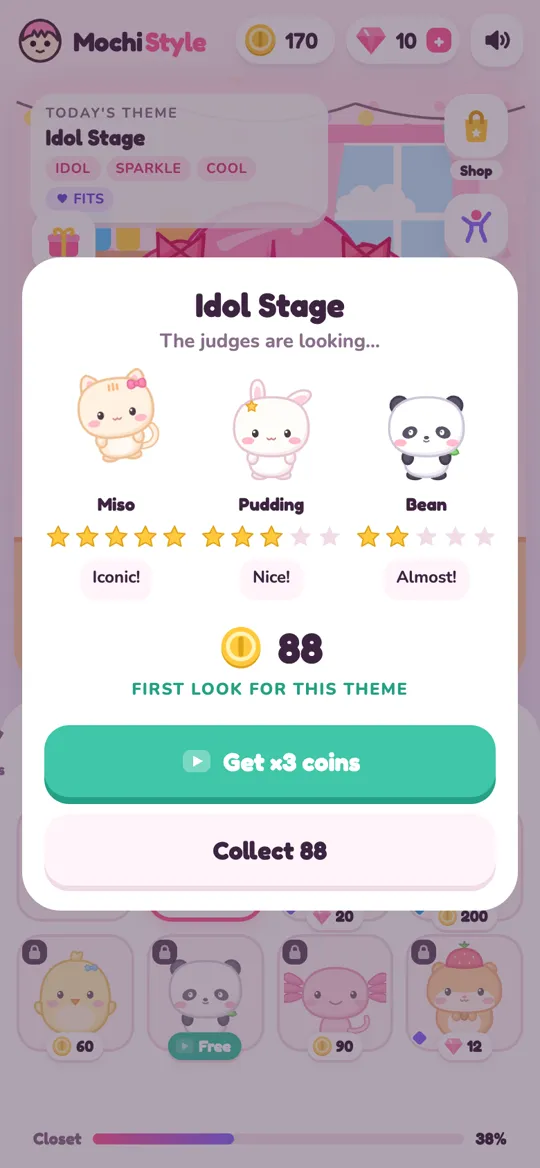
Then tap Judge. The first time you are judged on a theme you will see "First look for this theme", and if you beat your old score later you will see "New best for this theme". Each theme keeps its own best, so there are ten personal records to chase.
Themes in runway battles
The theme matters on the runway too. When you start a runway battle, the battle uses whatever theme is on your card, and its name shows in the bar at the top while the 60-second timer runs. Your rival dresses for the same theme, and the judges score both looks against it.
That means you can choose your battleground. If you have lots of cute items with hearts, pick a cute theme like Candy Party before you tap Runway Battle. If you just unlocked wings and a tiara, Princess Ball is a good stage for them. For the full battle flow, see the Mochi Style runway battle guide.
Theme ideas to get you started
If you want ready-made looks rather than a blank closet, we have outfit guides for some of the themes:
- Idol stage outfit ideas for bright, sparkly performance looks.
- Mermaid lagoon outfit ideas for sea greens, blues and magic.
- Princess ball dress up ideas for gowns, tiaras and gold.
A fun challenge is to keep one doll and restyle her for every theme in a row, changing as few pieces as you can. You will quickly learn which items work hardest in your closet.
FAQ
How many themes does Mochi Style have?
There are ten regular themes: Idol Stage, Mermaid Lagoon, Princess Ball, Unicorn Dream, Kawaii Cat Cafe, School Day, Pyjama Party, Superhero Day, Candy Party and Beach Day. A limited event theme can appear at the top of the list while an event runs.
How do I change the theme in Mochi Style?
Tap the theme card at the top left of the dress up room, then tap any theme on the "Pick a theme" sheet. It is free, and the hearts in the closet update right away.
Does the theme change by itself?
Yes. After the judges score your look and you collect your coins, the game moves to the next theme in the list and shows a "Next theme" message.
What does the heart on an item mean?
The heart means that item matches at least one of the current theme's tags. Wearing items with a heart is what Pudding the bunny judge looks for.
Do I need to own the theme's scene?
No. You can dress for any theme without its scene. If you do own the matching scene, the background switches when you pick the theme, and the right scene earns a little extra from Bean the panda.